Package with dependencies
In the last post, we published and installed a simple package.
If you remember, we had an empty method without implementation. Now we’re not only going to implement it, but also create a dependency with another TRM package.
Coding
I’ll start by creating a new SAP package and, inside it, a utility class.
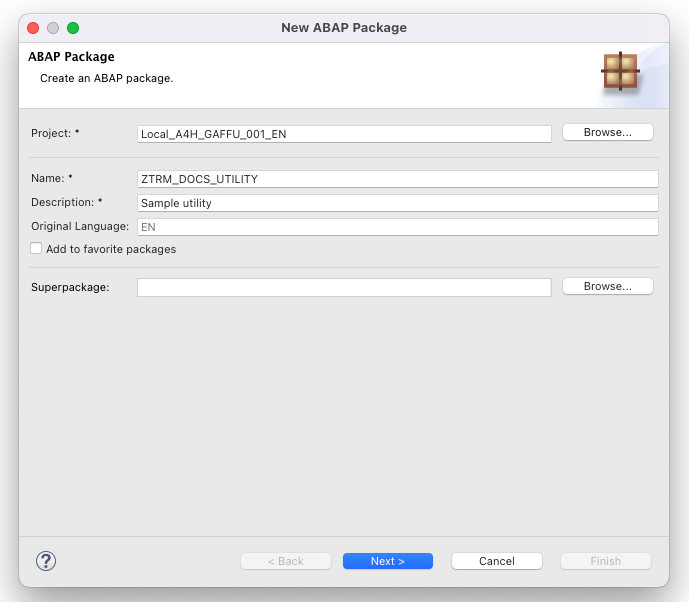
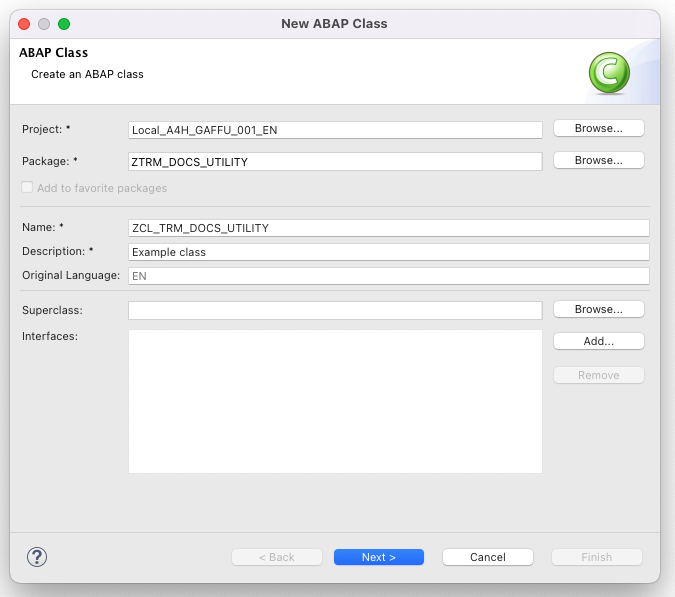
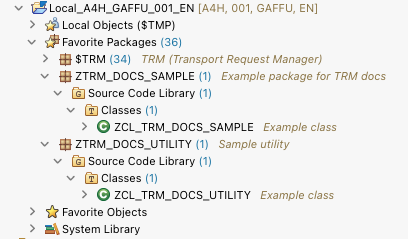
Just like last time, let’s check what’s currently in my workspace:
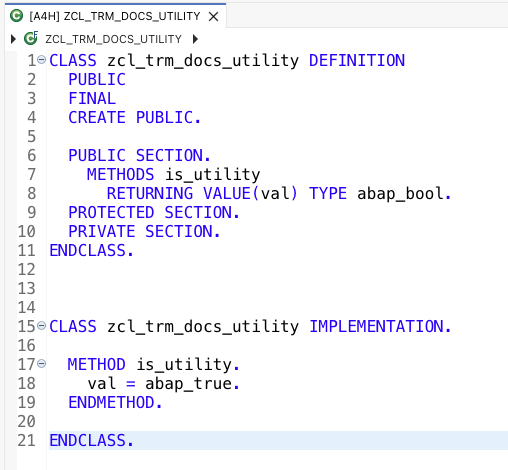
And here’s the implemented utility class:
I’ll now go back to the ZCL_TRM_DOCS_SAMPLE class (in SAP package ZTRM_DOCS_SAMPLE, TRM package @trmsamples/doc-demo) and make use of that utility class.
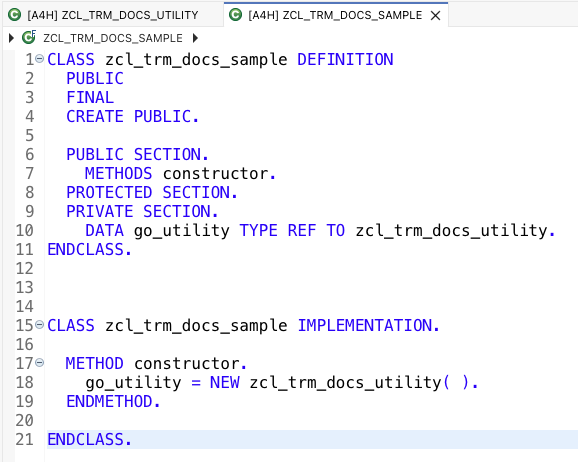
Even a simple use of another class (for example, creating an instance) is considered a dependency on that object.
Publish with a dependency
I’ll now try to publish a new release of package @trmsamples/doc-demo, since we changed the class ZCL_TRM_DOCS_SAMPLE.
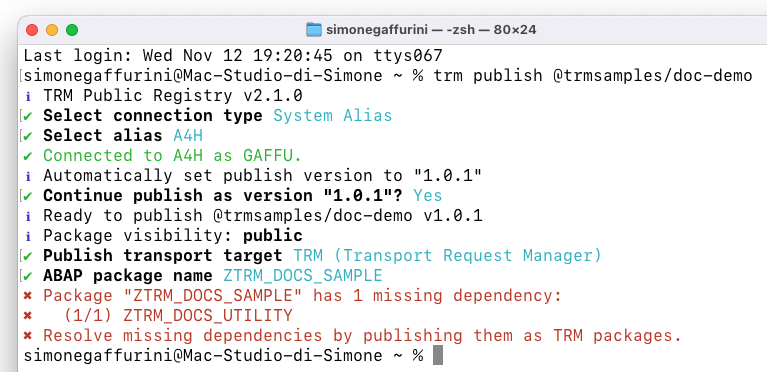
…problems! As you can see, I got an error message: clearly I messed up!
As explained earlier, even a simple reference to another class creates a dependency.
If ZCL_TRM_DOCS_UTILITY were in the SAP package ZTRM_DOCS_SAMPLE, there would be no issue. But as the CLI says, it’s in package ZTRM_DOCS_UTILITY.
Imagine what would happen if I ignored that error: version 1.0.1 of @trmsamples/doc-demo would still be released, but the next user who installs it would get a syntax error in ZCL_TRM_DOCS_SAMPLE, because ZCL_TRM_DOCS_UTILITY (and its package ZTRM_DOCS_UTILITY) doesn’t exist in their system.
To fix this, we first need to publish ZTRM_DOCS_UTILITY (as @trmsamples/doc-utility) so that it becomes a TRM package. After that, we can try publishing @trmsamples/doc-demo again.
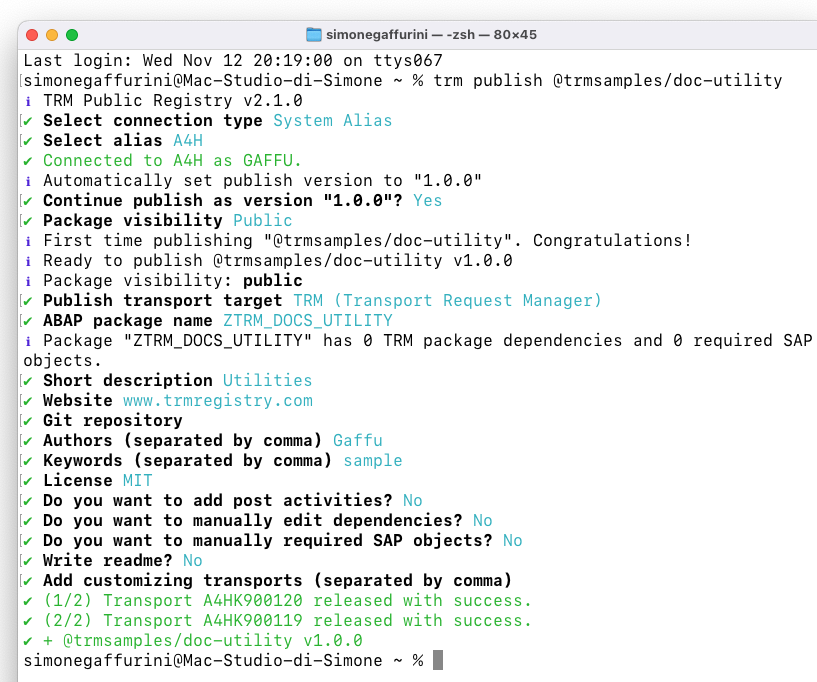
With @trmsamples/doc-utility published, let’s retry publishing @trmsamples/doc-demo.
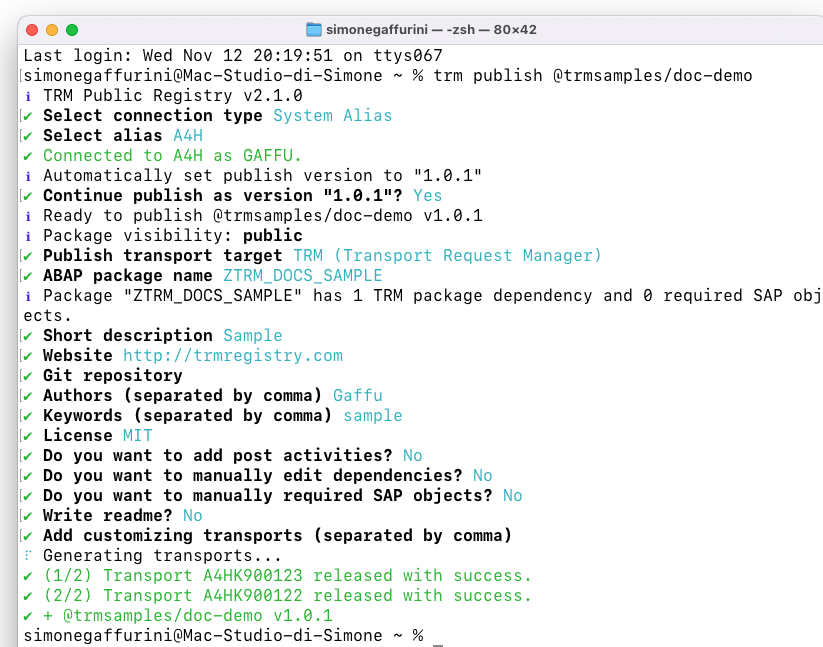
The new release is published. A few things to notice:
- TRM automatically proposed version
1.0.1➡️ I didn’t specify a version during publish, so the patch number of the latest version (1.0.0) was increased by one. - The dependency on another TRM package was detected ➡️ We’ll confirm this on the registry website, but it already shows “1 TRM package dependency”.
- Some values were proposed as defaults, like the SAP package name and some manifest fields.
💡 Tip: by default TRM proposes the next patch version of a release when no version is specified, but you can change the increment with option --increment
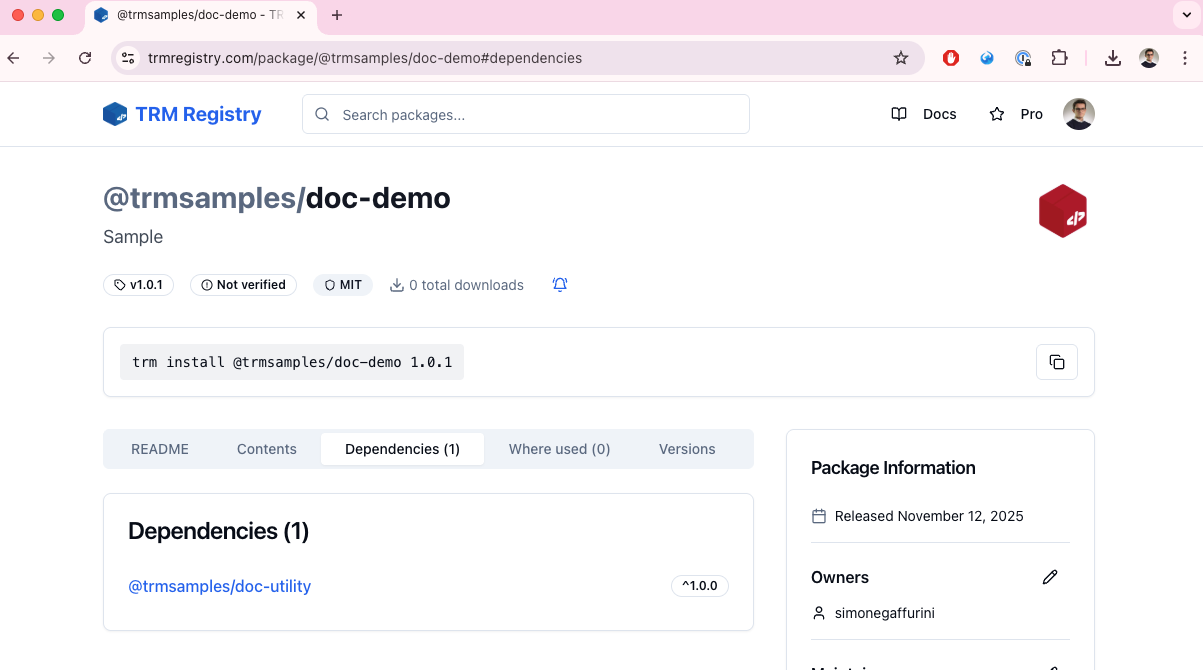
Here’s the release on the registry, confirming the dependency with @trmsamples/doc-utility.
Install with dependencies
Let’s start fresh again and install (or update) @trmsamples/doc-demo to the latest version (1.0.2), just like an end user would do.
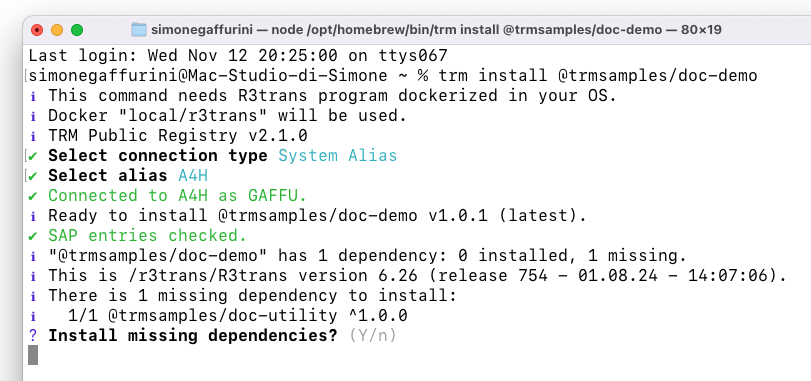
As you can see, the user is first asked to confirm the installation of the dependency @trmsamples/doc-utility.
Behind the scenes, TRM checked @trmsamples/doc-demo and saw that it isn’t installed yet in the development system.
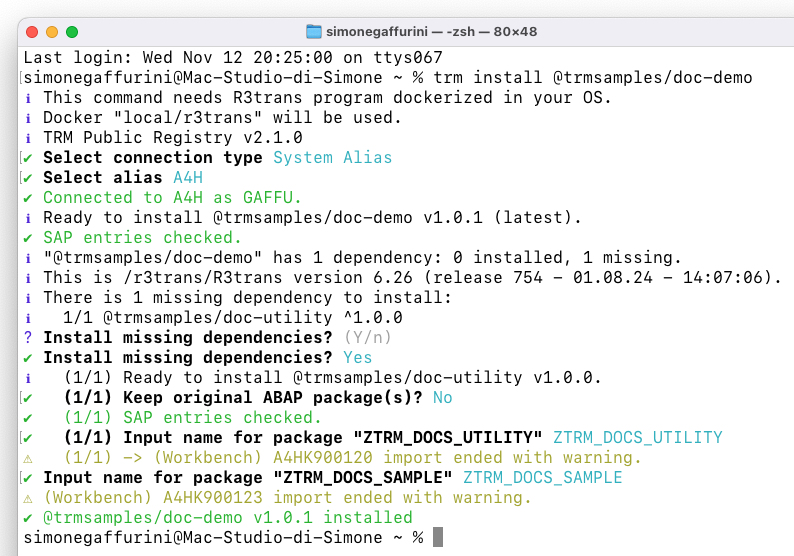
After confirming, the installation of both packages continues normally.
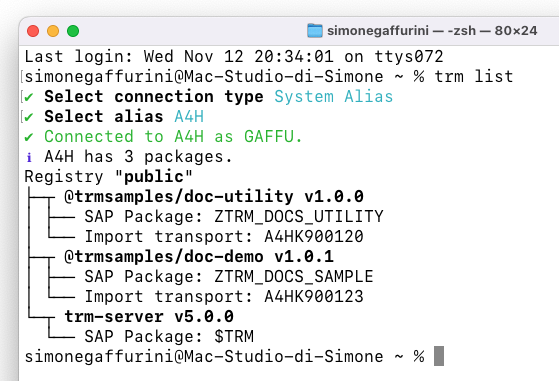
A trm list command confirms that both packages are installed.
Publish with SAP entries
On every publish, TRM automatically looks for dependencies with custom packages (and TRM packages) as well as SAP standard objects.
Because of this, the SAP standard objects used by a TRM package become requirements for the end user’s development system, so they can install the package without syntax errors.
Even a simple use of a standard data element is a dependency (it will be listed in TRM’s SAP entries).
To make this clearer, let’s publish a new version of @trmsamples/doc-demo. This time we’ll use a standard SAP function module call and see what TRM adds to the SAP entries.
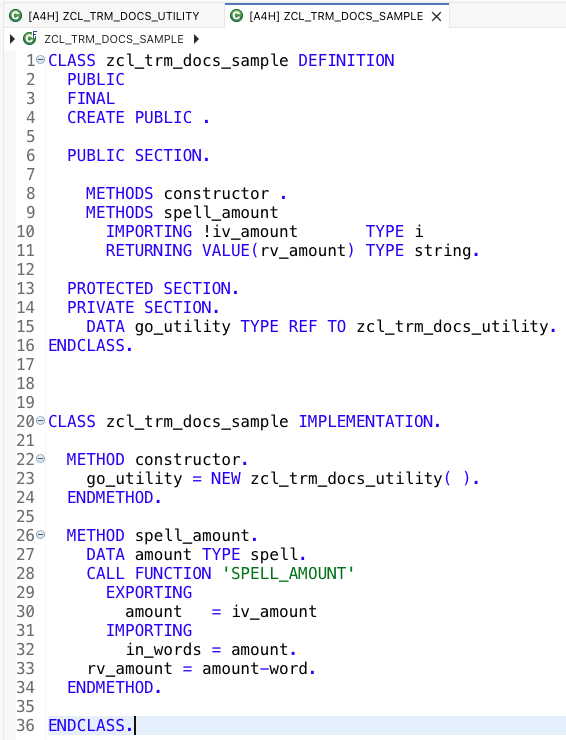
As you can see, I’ve added a new method that uses the standard SAP function module SPELL_AMOUNT.
Let’s publish this new release of @trmsamples/doc-demo.
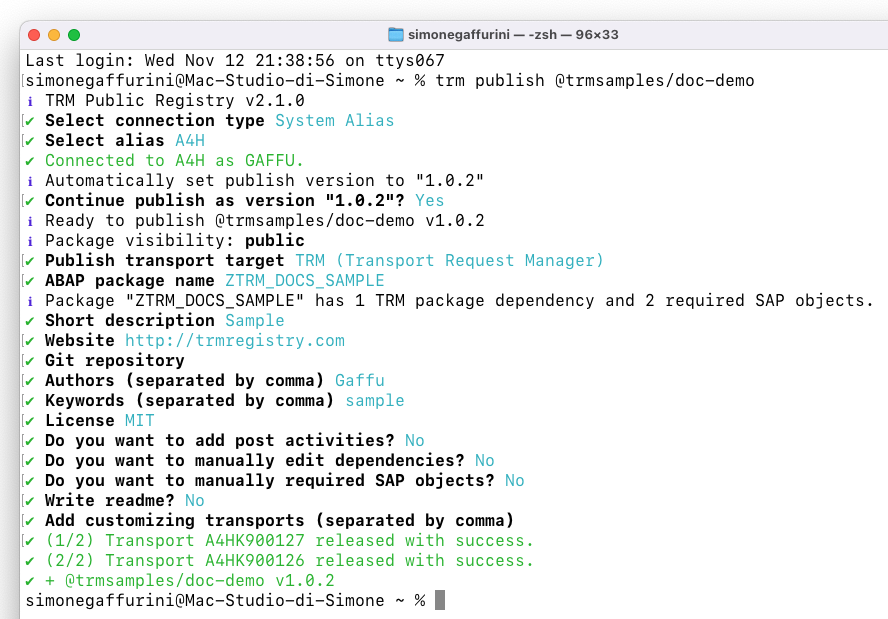
As expected, it shows a dependency on one TRM package (@trmsamples/doc-utility), but we can also see that it found dependencies with SAP objects.
Now let’s go to the registry website, download the release, unpack it, and look at the contents of sap_entries.json.
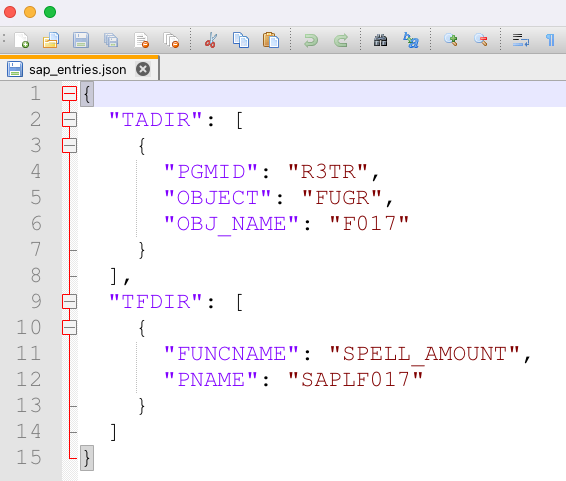
It lists both the function module we used and its function group.
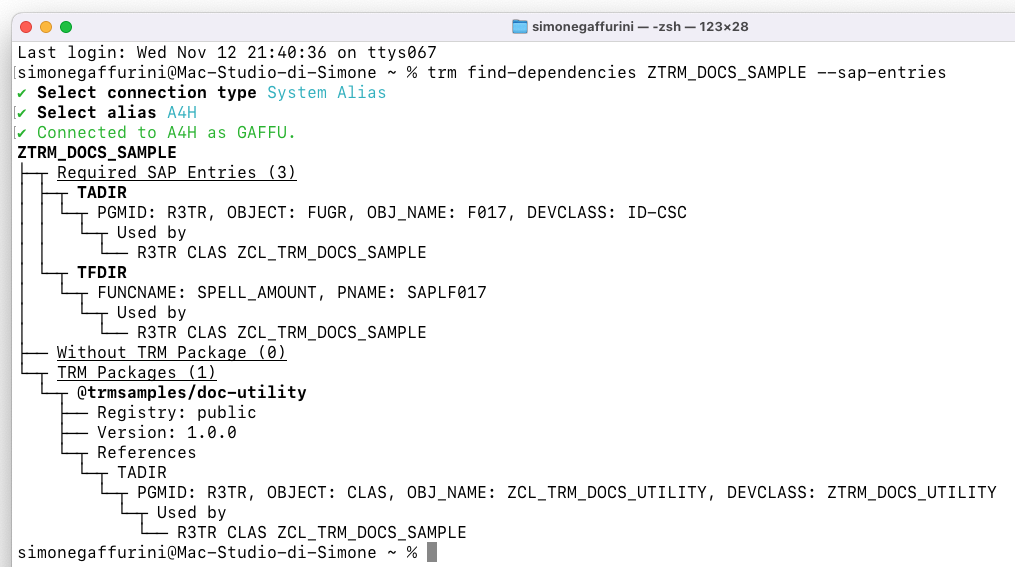
If you want a preview of a package’s dependencies, you can use:
The
--sap-entriesoption is used to display SAP entries, in addition to dependencies on TRM packages and custom packages.
Install with SAP entries
Now let’s pretend I’m the end user again and I want to install @trmsamples/doc-demo version 1.0.2 (the one that uses the standard FM SPELL_AMOUNT).
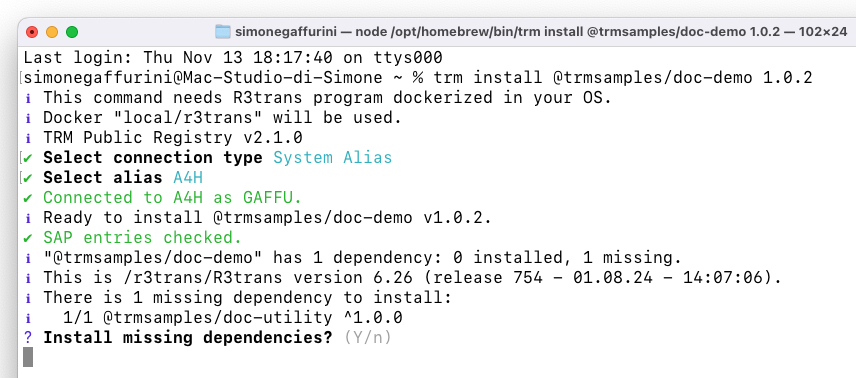
SAP entries are checked silently, and then we’re prompted to install the TRM dependencies of the package.
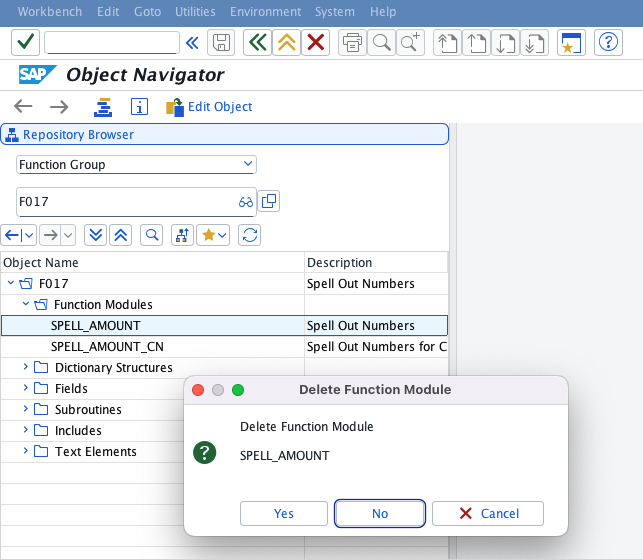
For testing purposes, let’s try deleting the FM SPELL_AMOUNT from my development system and see how TRM reacts when installing @trmsamples/doc-demo version 1.0.2.
I'm doing this on A4H (ABAP Developer Trial), don't try this at home...
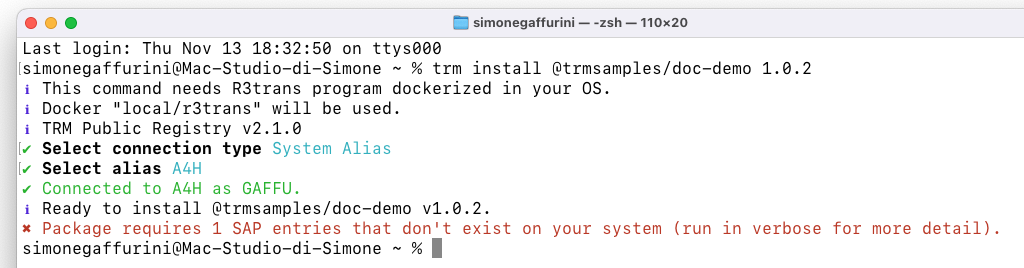
Of course, in a real-life scenario, it’s very unlikely that users delete standard SAP objects.
However, this mechanism of checking standard object dependencies is especially useful in more complex cases, such as:
- missing SAP Notes that should be implemented
- specific SAP releases required by the package
Speaking of dependencies, we can now take it one step further and see what a lockfile is.
➡️ Next: Install with a lockfile