Dealing with release candidates
A release candidate (RC) is a version of a package that is almost ready to become a final release. It’s basically a “preview” version meant for testing before the official release goes out to everyone.
Release candidates are a useful way to move your product from the central development system to a customer's development system, where better test data may be available. This creates a stage for manual testing before the release is declared final.
Release tags
Tags are particularly useful for release candidates. A tag is simply a label that points to a release of the package.
We've been using tags all along without noticing: the
latestkeyword is itself a tag that points to the latest release of the package.
Adding a tag to a release candidate (common tags include rc, alpha, and dev) allows end users or testers to install the latest available release candidate.
Publishing a release candidate
The steps for publishing a release candidate are largely the same; the main difference is the release version.
It is good practice to indicate a prerelease in the version itself, as in 1.0.3-rc.0 (release candidate build 0).
This makes it clear to end users that the release is not yet ready for production.
💡 Tip: When you publish without specifying a version, TRM proposes an increment of the latest available version. You can do the same for prereleases by using
--prereleaseand--pre-release-identifier <identifier>.
Let's publish the first release candidate of @trmsamples/doc-demo version 1.0.3 and tag it rc.
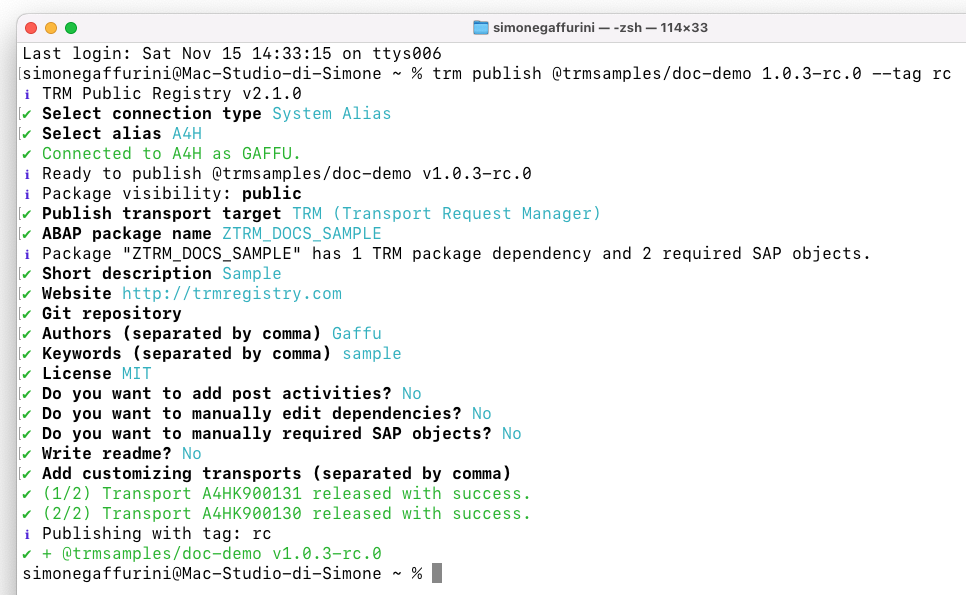
Notice that TRM indicates the release is tagged with
rc.
If we go to the registry website we can confirm the rc tag is in place:
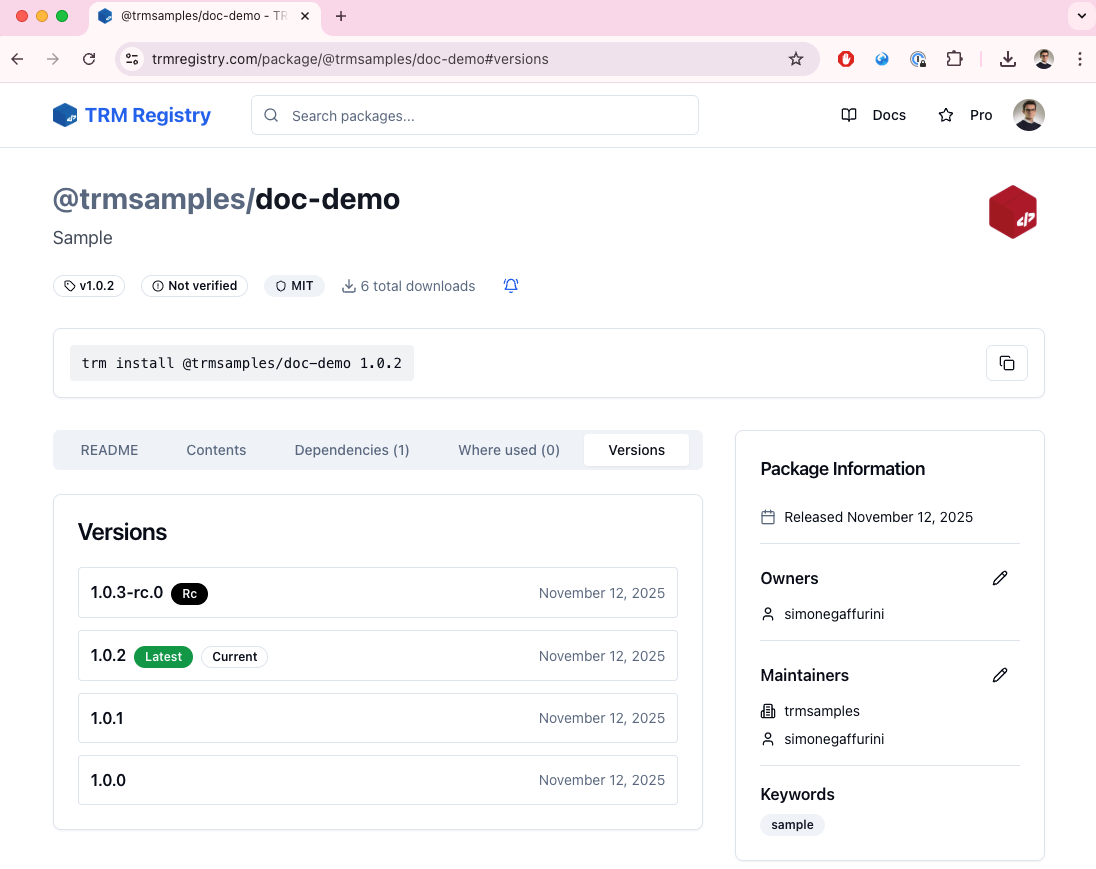
This shows that the latest tag still points to version 1.0.2. If an end user installs the latest stable version, they receive version 1.0.2.
However, a release candidate exists, and its rc tag points to version 1.0.3-rc.0.
Installing a release candidate and promoting to latest
Just like any install, we can point to a specific version or to a tag. In this case, let's install the rc version.
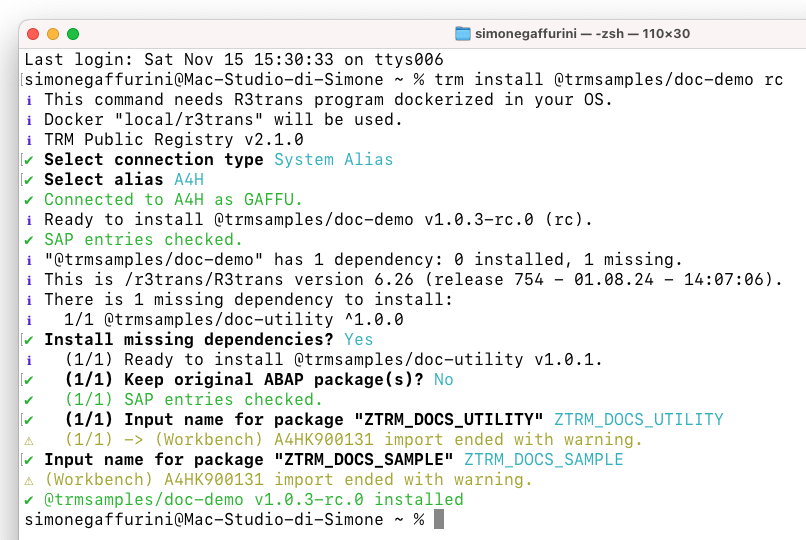
As you can see, rc installed 1.0.3-rc.0.
Additional release candidates for version 1.0.3 can now be published (1.0.3-rc.1, 1.0.3-rc.2, and so on), and the rc tag can be moved to the latest available release candidate.
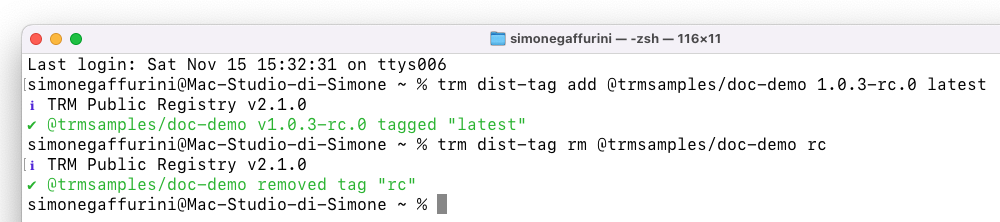
Once we're ready to release 1.0.3, we can either republish the latest release candidate with the final semantic version (1.0.3 instead of 1.0.3-rc.0) or simply reassign the latest tag and delete the rc tag.