Install with a lockfile
A lockfile is a file generated by TRM to freeze the exact versions of the dependencies used at a specific moment in time.
When a package depends on other packages, those packages might also depend on other packages, and so on. All these versions can change over time. If you install the same package today and then again in six months, the “latest compatible versions” might be different, and that can lead to different behavior or even errors.
A lockfile guarantees that everyone installs the exact same versions, even if newer versions of dependencies exist.
Install without a lockfile:
- TRM picks the newest versions it finds within the declared version range
- Your coworker might get different versions
- Your test system might behave differently than production
- Things break unexpectedly
Install with a lockfile:
- Same versions
- Same dependencies
- Same behavior everywhere
One version per system
Because of how SAP systems work, there cannot be more than one version of the same package in a single SAP system. This constraint means that lockfile-based installations can be challenging when multiple packages use the same dependency.
In this case, you must make compromises and perform manual steps, such as choosing a version that works for all dependent packages.
Generating a lockfile
Lockfiles are useful only for packages with dependencies, so I'll use the @trmsamples/doc-demo package we created earlier as an example.
I'll run:
💡 Tip: Run this command inside a folder so you can easily locate the generated file.
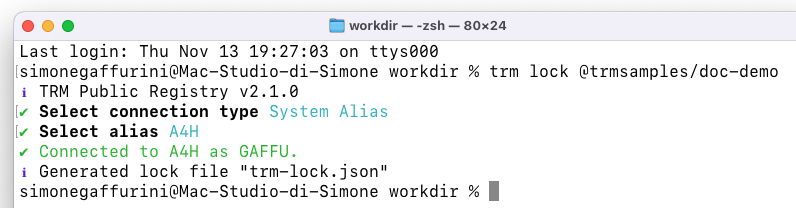
Let's open the trm-lock.json file:
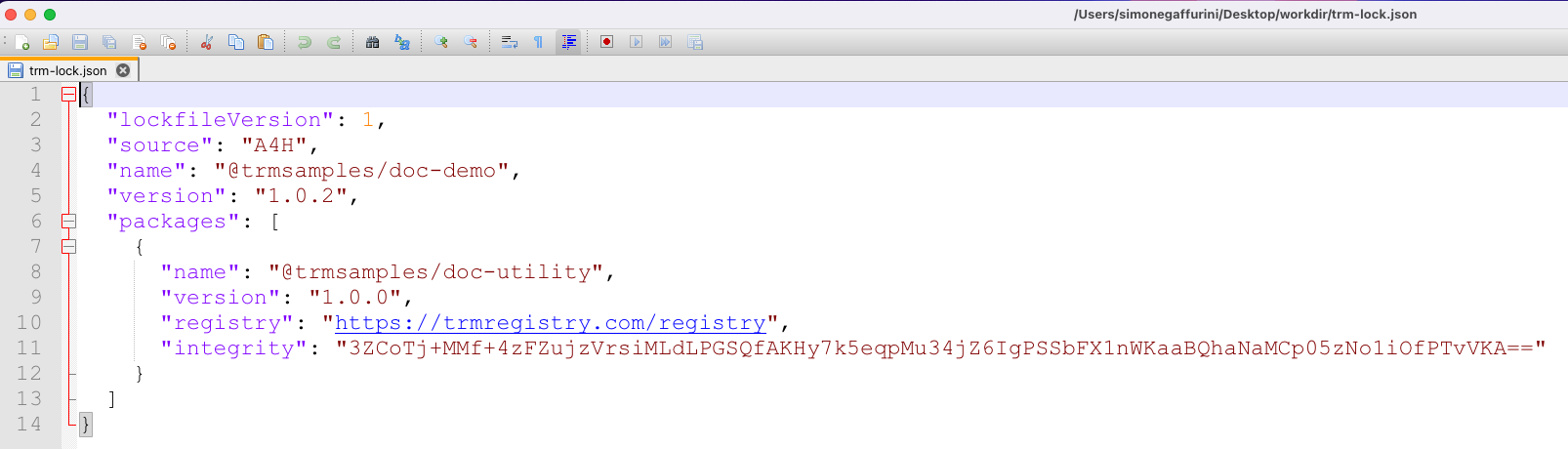
For the @trmsamples/doc-demo package, TRM flattened all its dependencies (only one in this case) and returned the exact version, registry address, and integrity value for each one.
The lockfile also records the package itself: its name and version at the top of the file and, with recent TRM versions, its registry and integrity too (the screenshot was taken with an older version, which recorded only the name and version). See Lockfile for the full format.
Publish a new dependency version
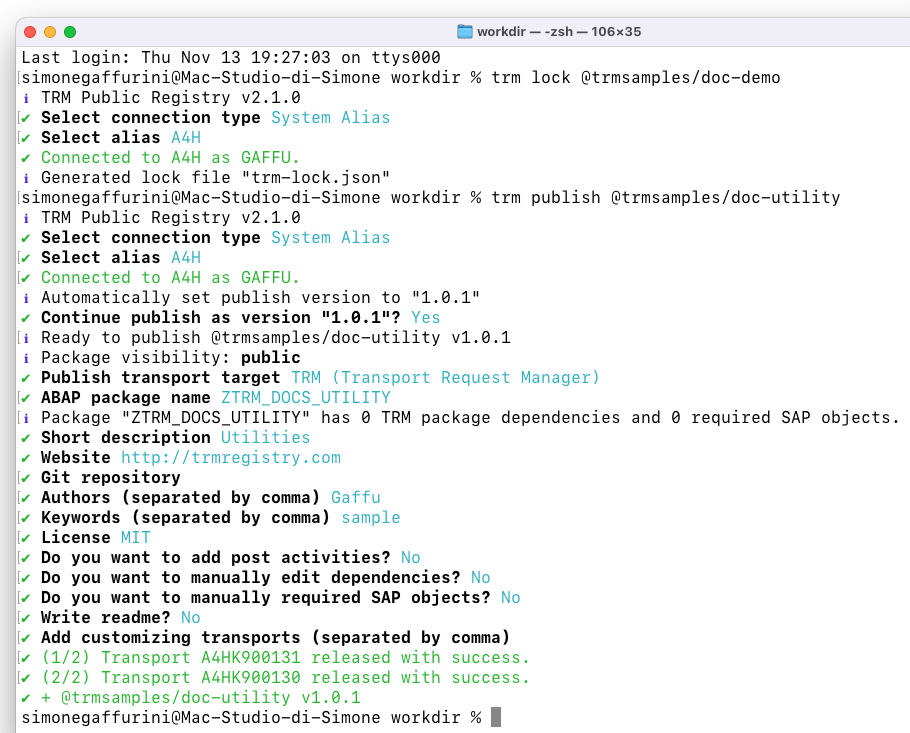
I'll now publish version 1.0.1 of @trmsamples/doc-utility (the dependency used by @trmsamples/doc-demo).
The reason for publishing 1.0.1 is important to this demo: @trmsamples/doc-demo declares @trmsamples/doc-utility as a dependency with the version range ^1.0.0. After I publish 1.0.1, an end user who installs version 1.0.2 of @trmsamples/doc-demo will receive version 1.0.1 of @trmsamples/doc-utility because it is the latest version in that range.
Let's confirm this by installing @trmsamples/doc-demo in a fresh instance.
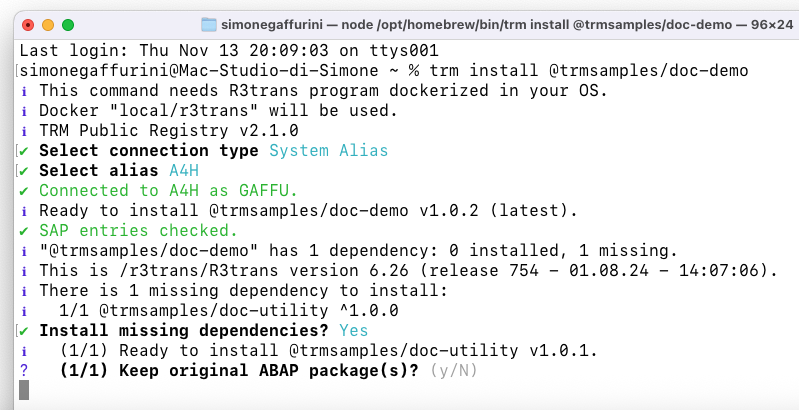
TRM shows that it is ready to install 1.0.1, the latest version in the ^1.0.0 range.
Install
To really replicate the exact state of @trmsamples/doc-demo when the lockfile was generated, we need to install it with the lockfile!
Let's run the clean-install command:
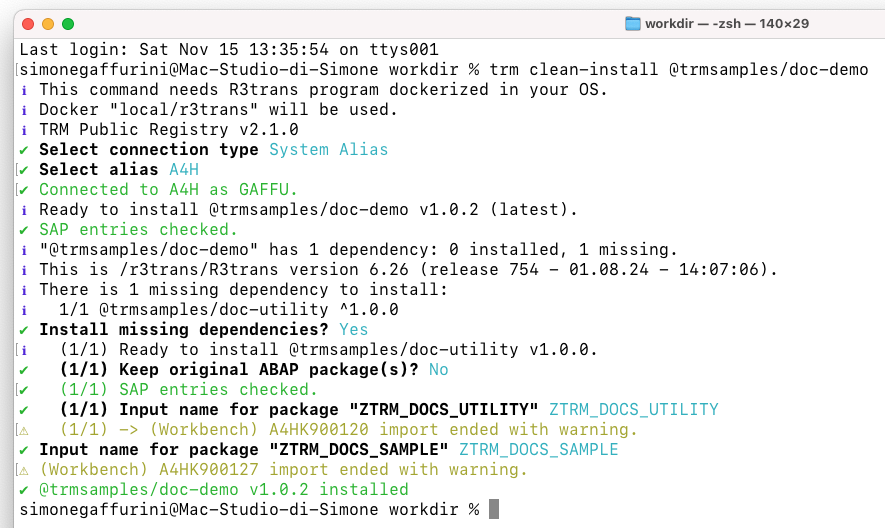
I didn't pass a version: TRM took the version of @trmsamples/doc-demo from the lockfile. Passing a different version would stop the command, because it would no longer match the lockfile; to move to a newer version, install it and generate the lockfile again.
TRM installed version 1.0.0 of @trmsamples/doc-utility because that version was used when the lockfile was generated.
Behind the scenes, it also verified that the integrity value from the registry matched the value in the lockfile, ensuring that the release was identical, for the dependency and for the package itself.